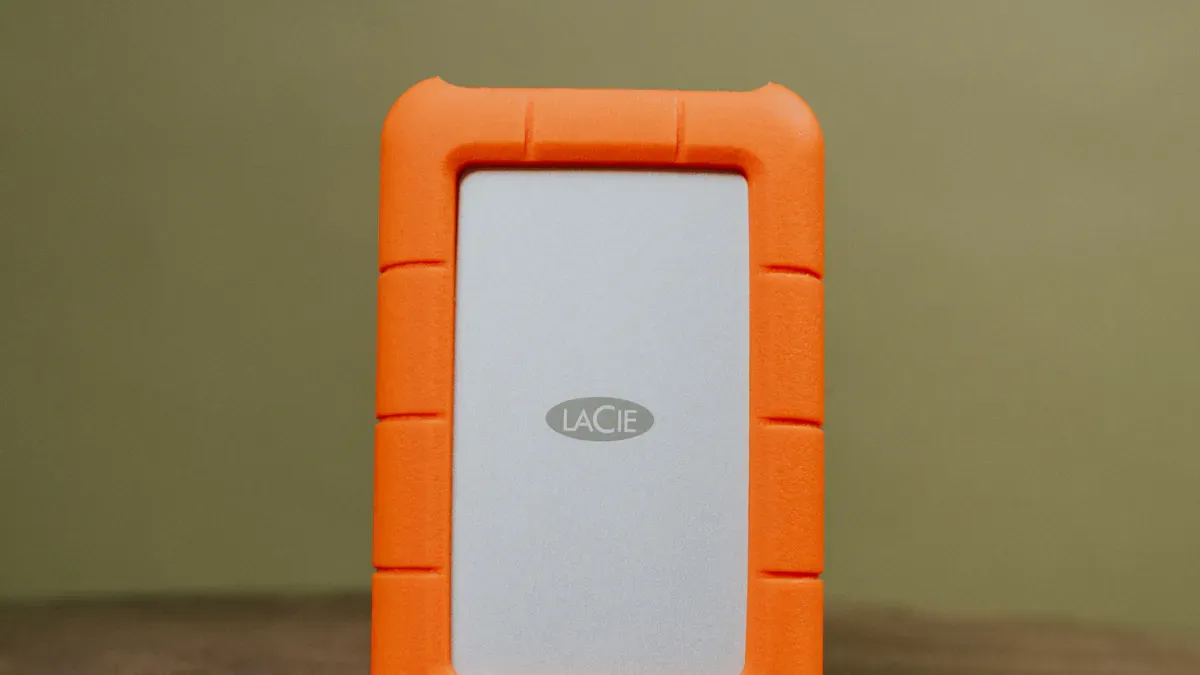
The 8 best external hard drives for video storage in 2026 are:
SanDisk Professional G-RAID Shuttle 4
Blackmagic Design 8TB Cloud Store Mini
WD Black 4TB Performance Desktop Hard Disk Drive
SanDisk Extreme Pro Portable SSD 1TB
Seagate One Touch 5TB USB 3.2 Gen 1
WD My Book 8TB External Hard Drive
SanDisk Pro-G40 Portable SSD
Samsung T7 Shield 2TB Portable SSD
Selection depends on speed, capacity, durability, portability, security, compatibility, and price. Video storage needs high transfer speeds, robust reliability, and large capacity. The global market for external storage device solutions continues to expand, reflecting a compound annual growth rate above 7%. For those seeking the best external hard drive, a portable hard drive with Thunderbolt or USB 3.2 offers the best balance of speed and convenience.
1. SanDisk Professional G-RAID Shuttle 4
Overview
The SanDisk Professional G-RAID Shuttle 4 stands out as a top-tier solution for demanding video professionals. This portable hard drive is engineered for high-capacity, high-speed data transfer, making it ideal for large video projects. Its robust design supports multi-camera editing in real time and handles complex workflows with ease. The G-RAID Shuttle 4 is built for studios, production teams, and anyone who needs reliable, scalable storage for 4K, 8K, and VR content.
Key Specs
Feature | Description |
|---|---|
Capacity | |
Interfaces | Thunderbolt™ 3 (40Gbps), USB-C™ (10Gbps) |
Transfer Rates | Up to 700MB/s read, 850MB/s write (RAID 5, 96TB model) |
RAID Configurations | RAID 0, 1, 5, 10 |
Hard Drives | Removable Ultrastar enterprise-class 7200RPM |
Multi-Stream Support | Optimized for multi-stream 4K, 8K, and VR workflows |
Daisy Chaining | Supports up to 5 additional devices |
Warranty | 5-year limited warranty |
Transportable Design | Built for easy travel between locations |
Pros & Cons
Pros:
Massive storage capacity up to 104TB
High-speed Thunderbolt 3 and USB-C interfaces
Multiple RAID options for data protection and speed
Removable enterprise-class drives for reliability
Optimized for multi-stream, high-resolution workflows
Cons:
Large physical size compared to the best external ssds
Premium price point
Requires external power source
Best For Video Storage
The G-RAID Shuttle 4 is best for professionals who need fast, reliable, and expandable storage. It supports real-time editing and rendering of multi-layer video projects. Its daisy chaining feature allows users to connect multiple devices, streamlining large-scale productions. For those managing high-volume footage, this drive ensures efficient workflows and data security.
Tip: For creators who download and manage large video files, TotalMedia VideoConverter’s Downloader module offers batch URL downloading, clipboard integration, and real-time status updates. This tool simplifies saving and organizing content, making it a perfect companion for high-capacity storage solutions like the G-RAID Shuttle 4.
2. Blackmagic Design 8TB Cloud Store Mini
Overview
The Blackmagic Design 8TB Cloud Store Mini is a networked storage solution built for creative professionals who demand speed and collaboration. This device uses four 2TB flash memory cards, delivering high durability and rapid data access. Its compact form factor makes it a strong alternative to a traditional portable hard drive, especially for teams working with large video files. The Cloud Store Mini supports both 10G and 1G Ethernet connections, enabling fast file transfers across multiple users. An HDMI port provides real-time monitoring of file activity, which helps teams track usage and manage resources efficiently.
Key Specs
Feature | Description |
|---|---|
Storage Capacity | 8TB (4 x 2TB flash memory cards) |
Network Connectivity | 10G Ethernet, 1G Ethernet |
Read Speed | Up to 951MB/s |
Write Speed | Up to 1,156MB/s |
Display Output | HDMI for real-time monitoring |
Collaboration | Multi-user support, Blackmagic Cloud sync |
Price |
Pros & Cons
Pros:
High-speed flash memory for fast editing and transfers
Supports multiple users for collaborative workflows
Real-time monitoring via HDMI output
Seamless integration with Blackmagic Cloud for remote syncing
Cons:
Higher price than many best external ssds
Requires some IT knowledge for setup
Fixed storage capacity
Best For Video Storage
The Cloud Store Mini excels in environments where teams need to edit and share large video files quickly. Its flash-based core and network connectivity reduce latency and playback issues, making it ideal for studios and content creators. For users who frequently download and organize video content, TotalMedia VideoConverter’s Downloader module offers batch URL downloading, clipboard integration, and real-time status updates. This tool streamlines the process of saving and managing files, ensuring that your workflow remains efficient and organized.
3. WD Black 4TB Performance Desktop Hard Disk Drive
Overview
The WD Black 4TB Performance Desktop Hard Disk Drive is a reliable choice for users who need consistent performance for video storage. This desktop hard drive is designed for heavy workloads and long-term use. It offers a balance of speed, durability, and capacity, making it suitable for video editors, content creators, and professionals who require dependable storage for large files. Unlike a portable hard drive, this model is built for stationary setups and delivers stable operation in desktop environments.
Key Specs
Feature | Specification |
|---|---|
Capacity | 4TB |
Form Factor | 3.5-inch desktop |
Interface | SATA 6 Gb/s |
Sequential Read Speed | |
Sequential Write Speed | 153 MB/s |
IOPS (2T/2Q) | 66 |
IOPS (16T/16Q) | 86 |
Reliability | Good |
Warranty | 5 years |
Pros & Cons
Ranks third in sequential read speed at 145 MB/s.
Achieves third place in write speed at 153 MB/s.
Handles mixed workloads but trails behind some competitors.
Shows higher peak latency compared to other desktop hard drives.
Offers a five-year warranty for long-term peace of mind.
Note: The WD Black 4TB desktop hard drive provides good performance and reliability, but users seeking the lowest latency may prefer alternatives like the Hitachi Deskstar.
Best For Video Storage
This desktop hard drive is best for users who need a large, stable storage solution for video editing and archiving. It fits well in desktop workstations and supports high-capacity video libraries.
4. SanDisk Extreme Pro Portable SSD 1TB
Overview
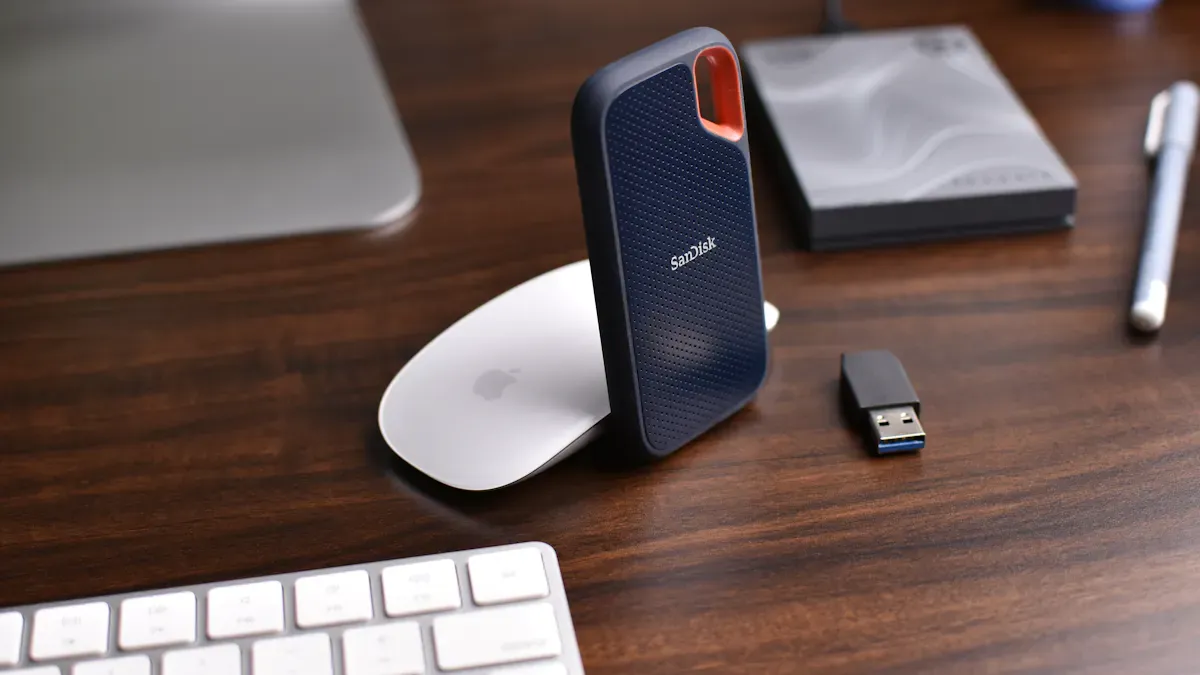
The SanDisk Extreme Pro Portable SSD 1TB is a leading choice for creators who need fast, rugged, and compact storage. This drive delivers high performance for video editing, backup, and transfer tasks. Its aluminum body and silicon rubber coating provide both durability and a premium feel. Many professionals consider it among the best portable ssd options for fieldwork and travel.
Key Specs
Feature | Specification |
|---|---|
Capacity | 1TB |
Read Speed | Up to 1,050 MB/s |
Write Speed | Up to 1,000 MB/s |
Durability | IP55 water/dust resistance, 2m drop |
Interface | USB 3.2 Gen 2 (Type-C) |
Price | ~$225 |
Built with an aluminum body for heat management
Silicon rubber coating for impact protection
Compact and lightweight design
Pros & Cons
Pros:
Fast read and write speeds for 4K video workflows
Water and dust resistant (IP55 rating)
Can withstand drops up to two meters
Portable hard drive form factor fits in a pocket
Cons:
Higher price than some competitors with similar speeds
1TB capacity may not suit users with massive video libraries
Competing models like the Corsair EX400U offer better value for speed
Best For Video Storage
The SanDisk Extreme Pro Portable SSD 1TB is ideal for videographers and editors who need reliable, high-speed storage on the go. Its rugged build and fast transfer rates make it one of the best external ssds for travel and outdoor shoots.
5. Seagate One Touch 5TB USB 3.2 Gen 1
Overview
The Seagate One Touch 5TB USB 3.2 Gen 1 offers a practical solution for users who need ample storage for large video files. This drive combines a sleek, durable design with broad compatibility, making it a reliable choice for both Windows and Mac users. Its compact form factor allows easy transport, so it fits well into any workflow that requires a portable hard drive. The textured metal finish adds a premium touch, while the included backup software supports automatic file synchronization for peace of mind.
Key Specs
Feature | Description |
|---|---|
Storage Capacity | 5TB, ideal for large video files |
Compatibility | Works with Windows and Mac without reformatting |
Interface | Micro-USB 3.2 Gen 1 for fast data transfer |
Design | Sleek, durable, textured metal finish |
Connectivity | 18-inch micro-USB to USB-A cable included |
Backup Features | Customizable backup and automatic file sync |
Price | Excellent value for high capacity |
Pros & Cons
Users appreciate the large storage capacity and cross-platform compatibility.
The drive’s design is both stylish and sturdy.
Some users report that transfer speeds are not as fast as other 5TB external drives.
Others experience no speed issues, suggesting performance may vary by system.
Best For Video Storage
Seagate One Touch 5TB USB 3.2 Gen 1 is best for content creators and video editors who need a dependable, high-capacity storage device at a reasonable price. It suits those who want a simple backup solution and easy file management.
6. WD My Book 8TB External Hard Drive
Overview
WD My Book 8TB External Hard Drive delivers dependable storage for users who need to back up large video libraries. This desktop drive offers a generous 8TB capacity, making it a practical choice for archiving high-resolution footage and completed projects. It is designed for stationary use and connects via USB, providing a straightforward solution for expanding storage without complex setup. The drive supports both Windows and Mac systems, thanks to its exFAT formatting, and works seamlessly with Apple’s Time Machine for automated backups.
Key Specs
Feature | Specification |
|---|---|
Capacity | 8TB |
Drive Speed | 5400 rpm |
Interface | USB 3.0 |
Power | External adapter required |
Security | 256-bit AES encryption, password |
Backup Software | WD Backup, Time Machine compatible |
Warranty | 3 years (parts and labor) |
Pros & Cons
Large capacity at a reasonable price
Reliable for backing up and archiving video files
Includes WD Backup software and 256-bit AES encryption
Three-year warranty covers parts and labor
Lacks IP rating and drop protection
Slower than SSDs, not ideal for active editing
Requires external power, limiting portability
Best For Video Storage
WD My Book 8TB is best for video professionals and content creators who need a cost-effective solution for storing and backing up large media files. Its backup software supports seamless integration with Time Machine and offers cross-platform compatibility, which is essential for collaborative workflows. While not a portable hard drive, it excels at archiving and safeguarding valuable footage.
7. SanDisk Pro-G40 Portable SSD
Overview
The SanDisk Pro-G40 Portable SSD delivers exceptional performance for video professionals who require speed, durability, and versatility. This drive supports both Thunderbolt 3 and USB 3.2 Gen 2 interfaces, making it compatible with a wide range of devices. Its rugged construction ensures reliability in demanding environments, positioning it as a top contender for those seeking the best portable ssd for high-resolution video workflows.
Key Specs
Feature | Specification |
|---|---|
Capacity | Up to 4TB |
Interface | Thunderbolt 3 (40Gbps), USB 3.2 Gen 2 (10Gbps) |
Max Read Speed | Up to 2,700MB/s (Thunderbolt 3), 1,050MB/s (USB 3.2) |
Max Write Speed | Up to 1,900MB/s (Thunderbolt 3), 1,000MB/s (USB 3.2) |
Durability | Drop-resistant up to 3 meters, crush-resistant to 4,000 lbs |
Water/Dust Resistance | IP68 certified |
Form Factor | Compact, portable hard drive design |
Pros & Cons
Achieves industry-leading transfer speeds with Thunderbolt 3, moving 50GB of data in under 30 seconds.
Withstands drops from up to 3 meters and resists dust and water immersion (IP68).
Crush-resistant shell protects data during travel and fieldwork.
Compatible with both Mac and Windows systems.
Premium price may not suit all budgets.
Peak performance requires Thunderbolt 3; USB 3.2 speeds are lower.
Best For Video Storage
The SanDisk Pro-G40 Portable SSD is ideal for creators who need rapid file transfers and robust protection for their footage. Its speed and durability make it suitable for 4K, 8K, and VR video editing, both in the studio and on location. For users who frequently download and organize large video files.
8. Samsung T7 Shield 2TB Portable SSD
Overview
Samsung T7 Shield 2TB Portable SSD offers a blend of durability and portability for video professionals and content creators. The drive features a rugged exterior that protects data during travel and fieldwork. Its compact size allows users to carry it easily, making it a practical choice for those who need reliable storage on the go. The T7 Shield supports USB 3.2 Gen 2, ensuring broad compatibility with modern devices.
Key Specs
Feature | Specification |
|---|---|
Capacity | 2TB |
Interface | USB 3.2 Gen 2 (Type-C) |
Max Read Speed | Up to 1,050 MB/s |
Sustained Write Speed | |
Durability | |
Dimensions | 88 x 59 x 13 mm |
Weight | 98 grams |
Price | Competitive in its class |
Shock-resistant from drops of up to 3 meters
IP65-certified for dustproof and water resistance
Pros & Cons
Pros:
Durable design withstands harsh environments
Compact and lightweight for easy transport
IP65 rating protects against dust and water
Compatible with most operating systems
Cons:
Sustained write speed (~650 MB/s) is slower than many competitors
Not the fastest option for large, continuous video transfers
Competing models like the OWC Envoy Pro FX and SanDisk Extreme PRO offer higher speeds
SSD Model | Sustained Write Speed (MB/s) | Notes |
|---|---|---|
Samsung T7 Shield | ~650 | Among the slowest tested SSDs |
OWC Envoy Pro FX | Higher than T7 Shield | Designed for high-performance video storage |
SanDisk Extreme PRO | Higher than T7 Shield | Notable for speed in video file handling |
Best For Video Storage
Samsung T7 Shield 2TB Portable SSD suits users who prioritize durability and portability over maximum speed. It works well for field shoots, travel, and backup tasks where environmental resistance is critical. While it may not be the best portable ssd for high-speed editing, it remains a dependable portable hard drive for everyday video storage needs.
Buying Guide: Choosing the Best External Hard Drive for Video Storage

HDD vs SSD for Video Storage
Choosing between HDDs and SSDs depends on your workflow. SSDs deliver much faster speeds and greater durability, while HDDs offer higher storage capacity at a lower price.
Storage Type | Average Write Speed | Boot Time | |
|---|---|---|---|
HDD | 80–160 MB/s | 80–150 MB/s | 30–60 seconds |
SATA SSD | 450–550 MB/s | 400–520 MB/s | 10–20 seconds |
NVMe SSD | 2000–7000 MB/s | 1500–6500 MB/s | 5–10 seconds |
SSDs are more resistant to shock and vibration, making them the best rugged portable hard drive for fieldwork. HDDs have moving parts and are more prone to mechanical failure.
Speed & Transfer Rates
High transfer rates are essential for editing 4K or 8K video. For uncompressed 8K workflows, transfer rates of 2.4 GB/s or higher are recommended.
The best thunderbolt 5 portable ssd and best usb4 ssd options deliver the fastest speeds, ideal for professionals.
Capacity & Expansion
Video projects can require hundreds of gigabytes to dozens of terabytes. Many professionals use external hard drives with 8TB or more, while portable SSDs around 1TB suit mobile workflows. RAID and NAS systems offer scalable storage capacity for large projects.
Portability & Durability
Travelers need lightweight, compact drives. The best rugged portable hard drive features IP65 or higher ratings for water and dust resistance, plus drop protection.
Certification | Features |
|---|---|
IP67 | 3-meter drop, 2-ton crush resistance |
IP65+ | Water/dust resistance, drop protection |
Security Features
Protect your video files with hardware encryption and password protection. The most secure portable ssd includes centralized tracking, USB control, and encryption-first policies.
Interface & Compatibility
The best thunderbolt 3 portable ssd and best thunderbolt 5 portable ssd support up to 40 Gbps, transferring large files in seconds. USB4 and USB 3.2 Gen 2×2 also offer high speeds. Choose exFAT for universal compatibility across devices and editing software.
Price & Value
HDDs remain the most cost-effective for bulk storage, with 8TB drives under $150. SSDs cost more per gigabyte but offer unmatched speed.
Storage Type | Capacity | Cost per GB | |
|---|---|---|---|
SSDs | 2TB | $80-120 | $0.04-0.06 |
HDDs | 8TB | $100-150 | $0.0125-0.0188 |
Tip: For efficient content management, TotalMedia VideoConverter’s Downloader module lets you batch download video and audio files by pasting multiple URLs. The Downloader supports real-time status, clipboard integration, and flexible output modes, making it a perfect companion for any best external hard drive or best external ssds setup.
Professionals benefit from high-capacity, fast drives like the G-RAID Shuttle 4 and Pro-G40 SSD.
Casual users and travelers prefer portable, durable options such as the Samsung T7 Shield.
Matching your drive to your workflow ensures reliable video storage.
FAQ
SSDs offer faster speeds and better durability. HDDs provide larger capacity at a lower price. Choose based on your workflow and budget
Most 4K video projects require at least 1TB of space. Professionals often use drives with 4TB or more for larger projects.
Yes! TotalMedia VideoConverter’s downloader lets you paste multiple URLs, select video or audio mode, and monitor progress.
Batch downloads save content directly to your device.